
The context
Both apps were called Myko. The challenge was moving existing homes onto the rebuilt platform while the previous app, different device types and firmware versions still coexisted.
We designed the migration journeys and communication across the two apps. Limited time to change the legacy app, technical reliability issues and shifting rollout plans shaped the work.
01.Mapping the transition.
Customers had different combinations of Wi-Fi and Bluetooth devices. In the previous app, Bluetooth devices connected through Wi-Fi devices rather than a separate gateway. Those connections introduced dependencies between products.
I mapped these situations before designing the screens, working through entry points, account transfer, device readiness and updates. The diagram became a way to discuss the journey across both platforms.

Two apps, several entry points
Meeting users where they started.
The move could begin on the previous app’s home page, within a device, or directly in the new app. Those routes needed to lead into the same transfer journey.
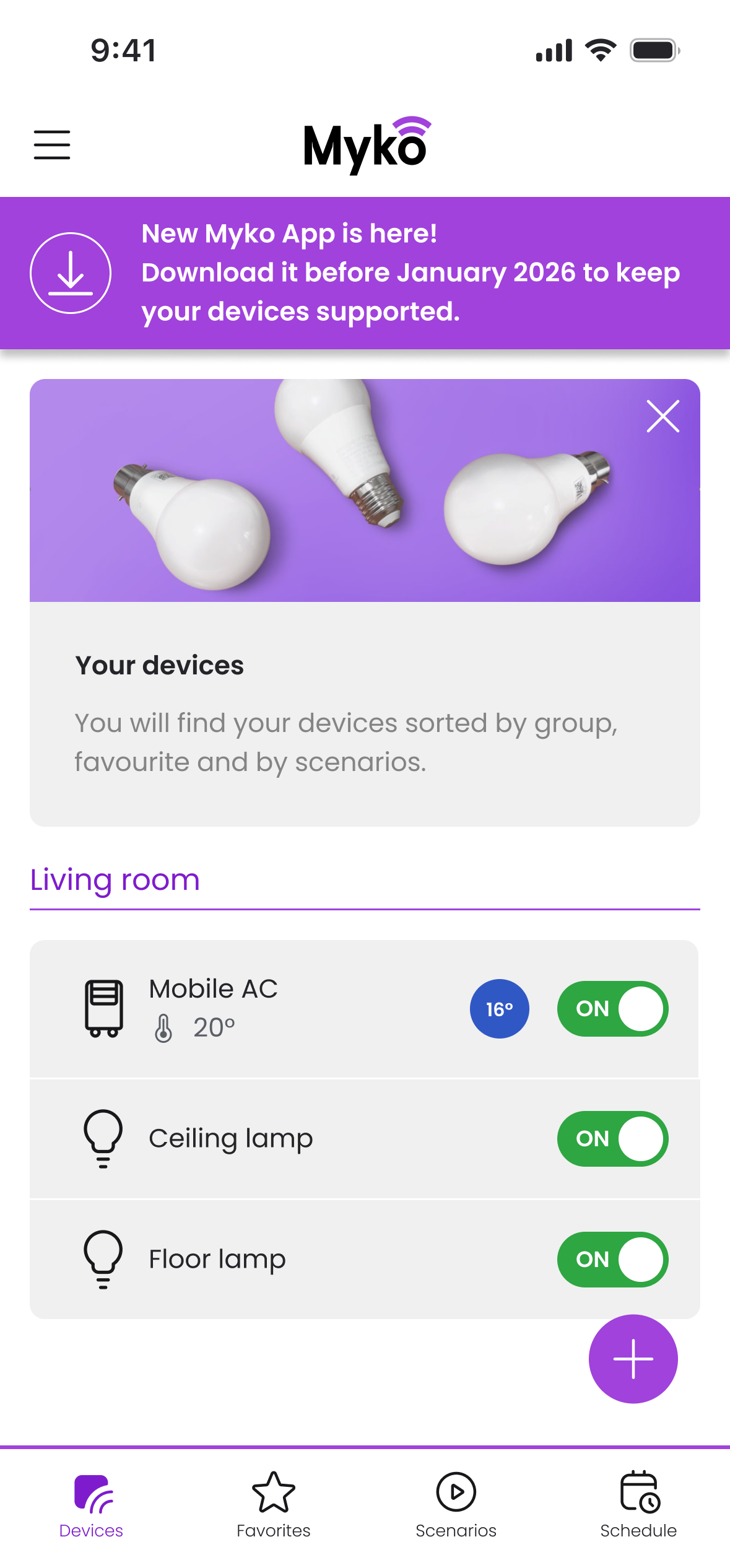
An invitation in the old app
The home page introduced the new app and the need to move.
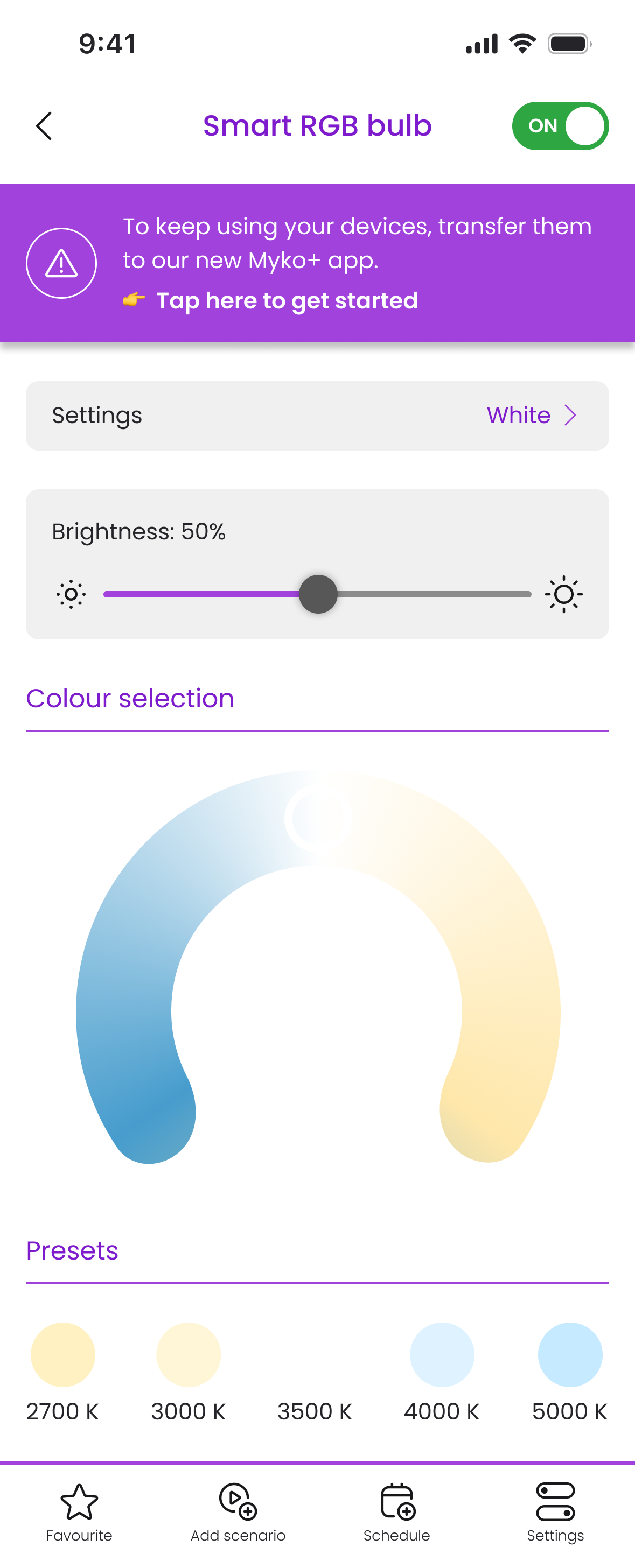
A prompt at device level
The migration message also appeared within device controls.
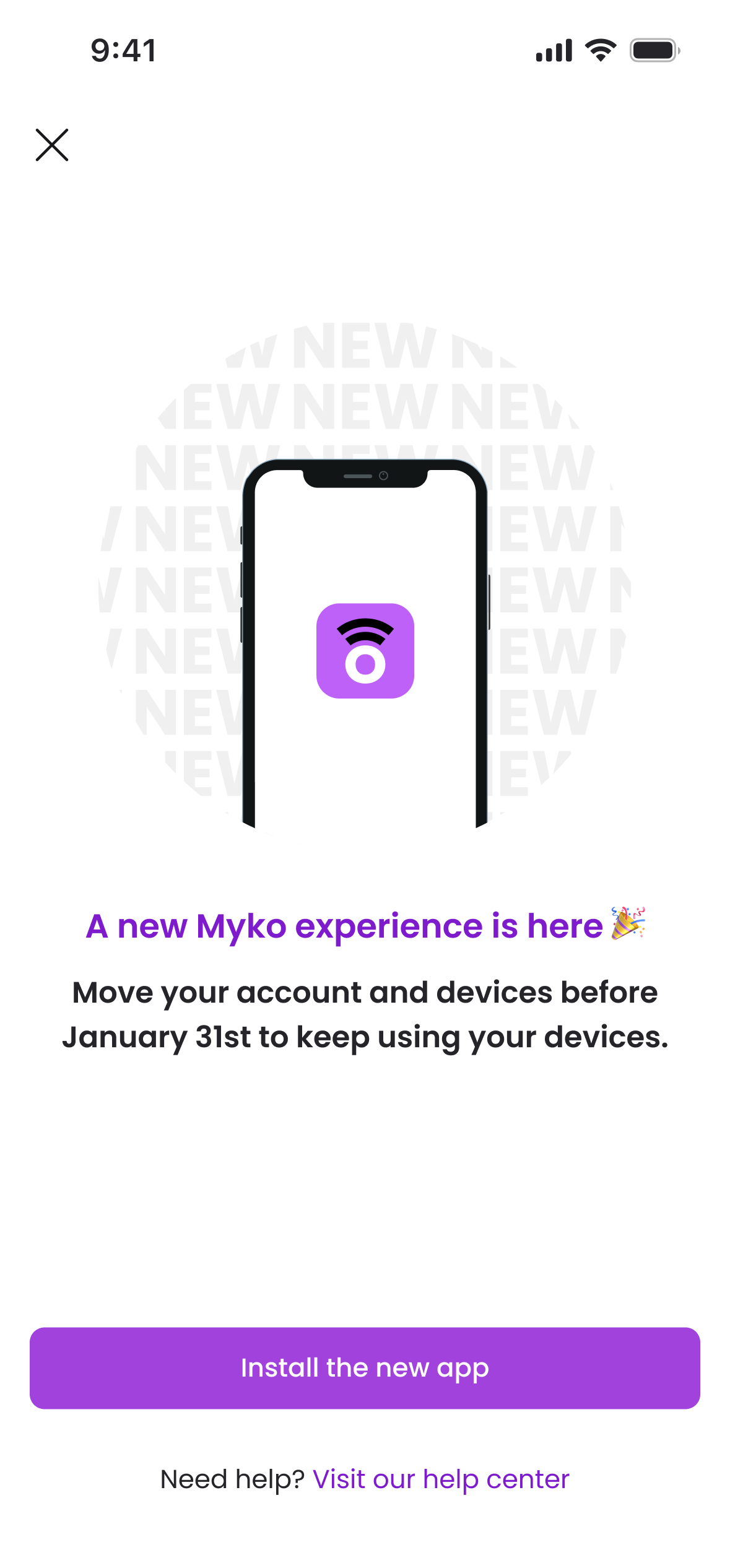
Moving to the new app
The invitation connected the app download with moving an existing account and devices.
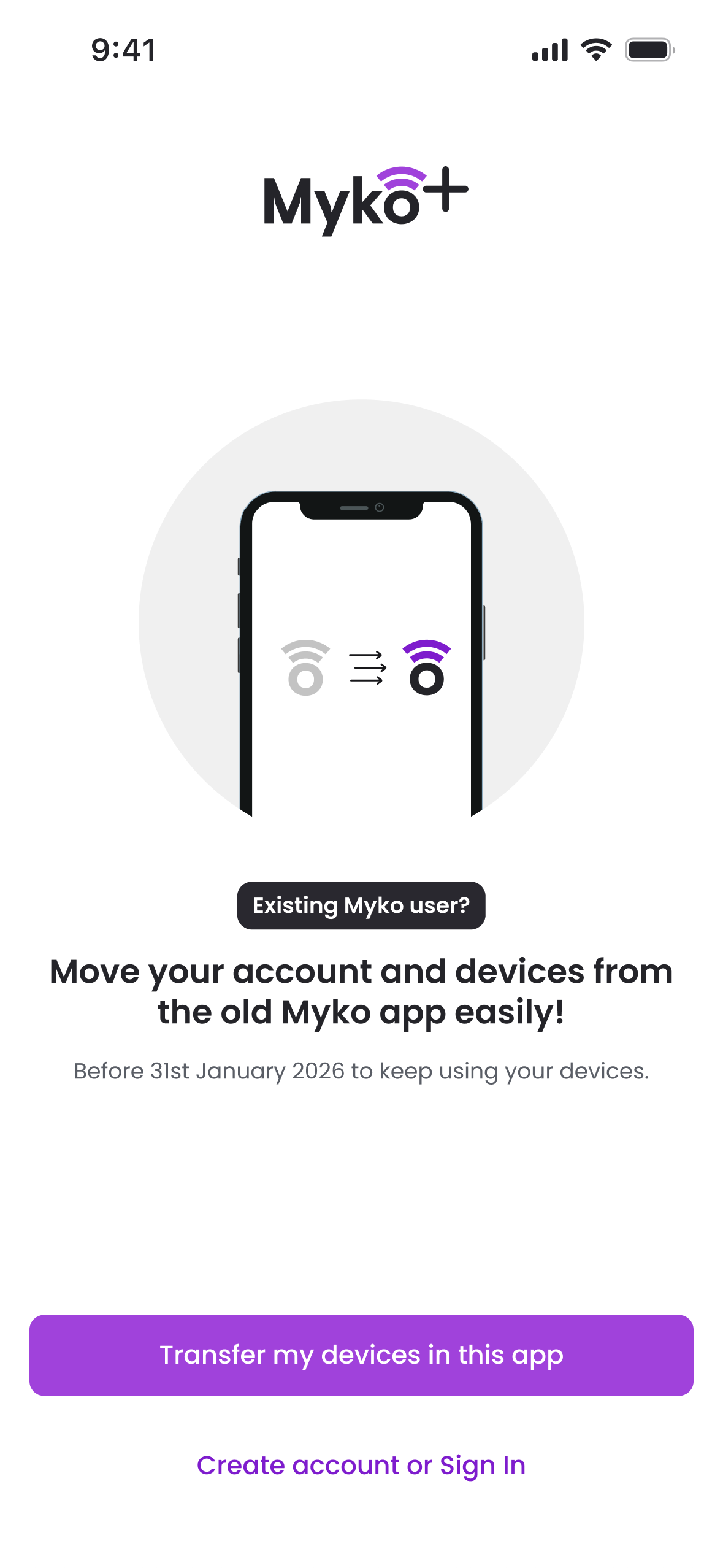
Arriving directly
Existing users could enter the transfer journey from the new app too.
02.Bringing the home across.
Rooms, schedules and automations were preserved, so users did not have to recreate their setup. Account transfer brought that information into the new app; individual device updates made the products usable on the new platform.
Those were separate stages. Making that distinction understandable became one of the most important parts of the experience.
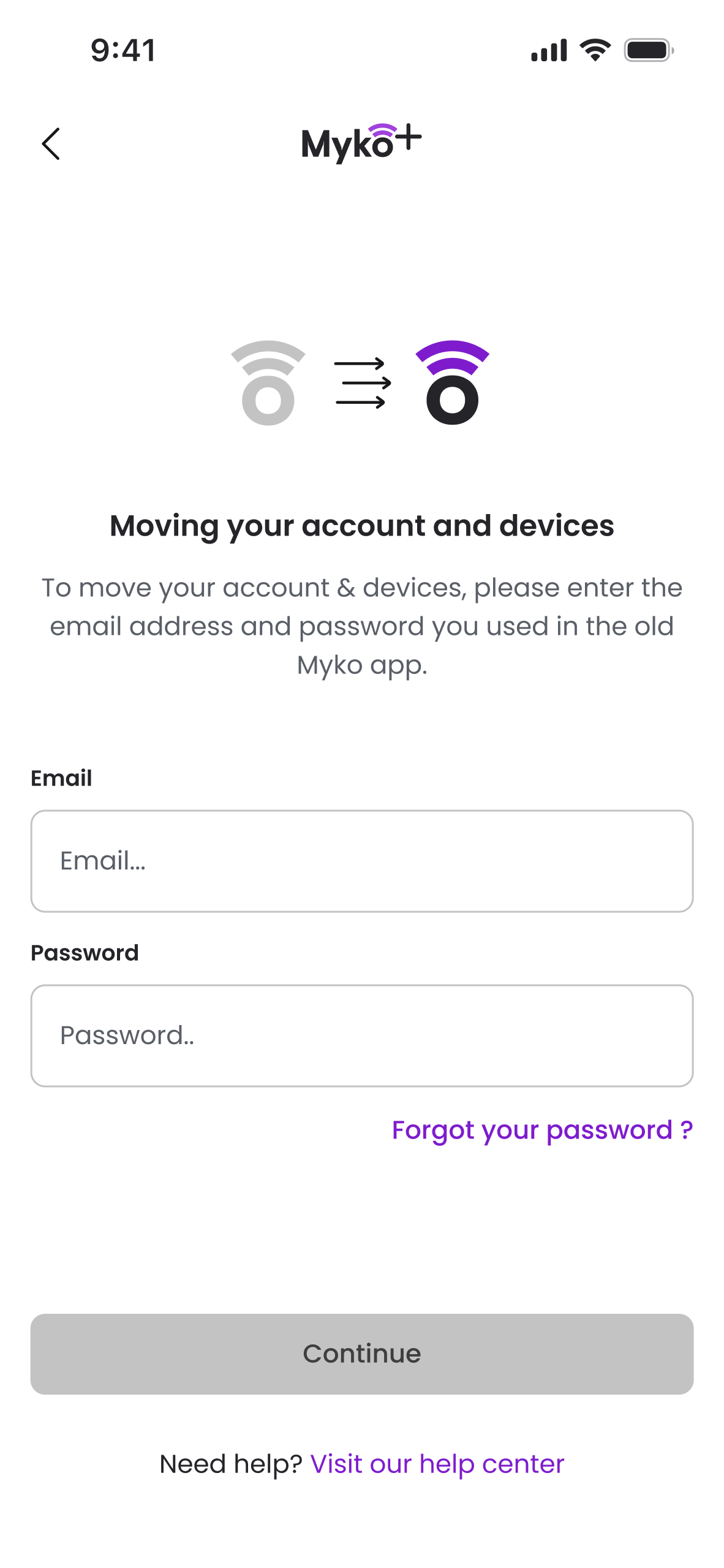
Use the existing account
Users signed in with their existing credentials.
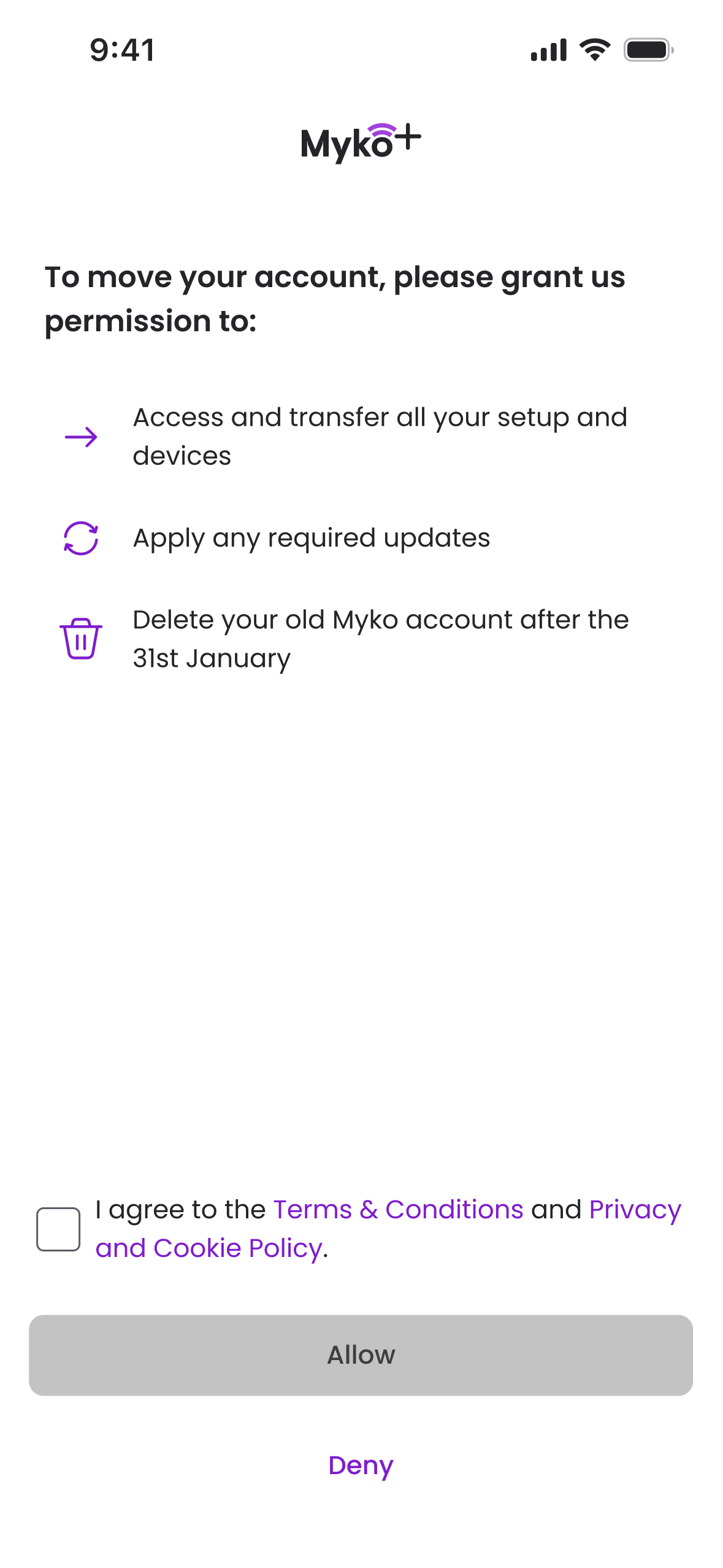
Explain the transfer
Permission covered transferring the existing setup and devices.
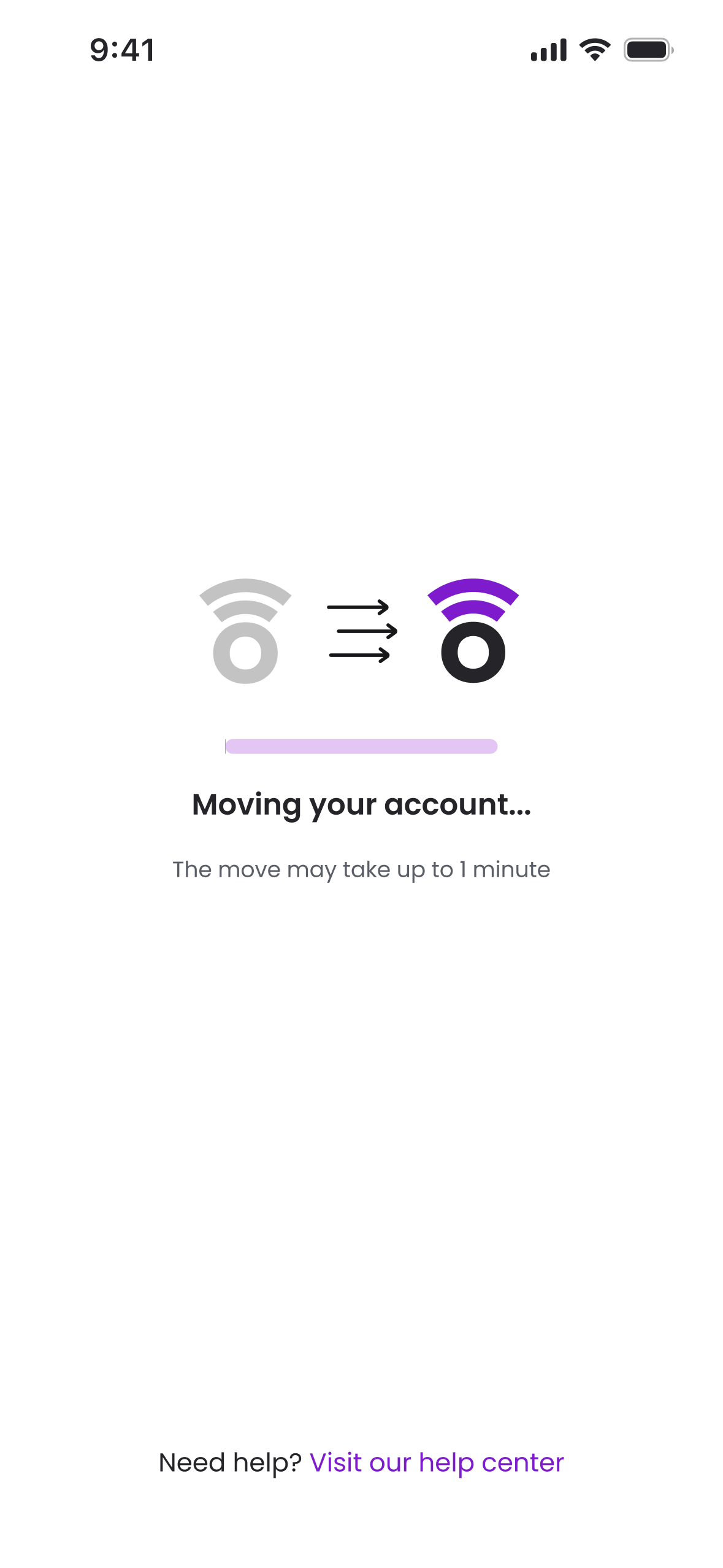
Move the account
The transfer screen explained what was happening while the account moved.
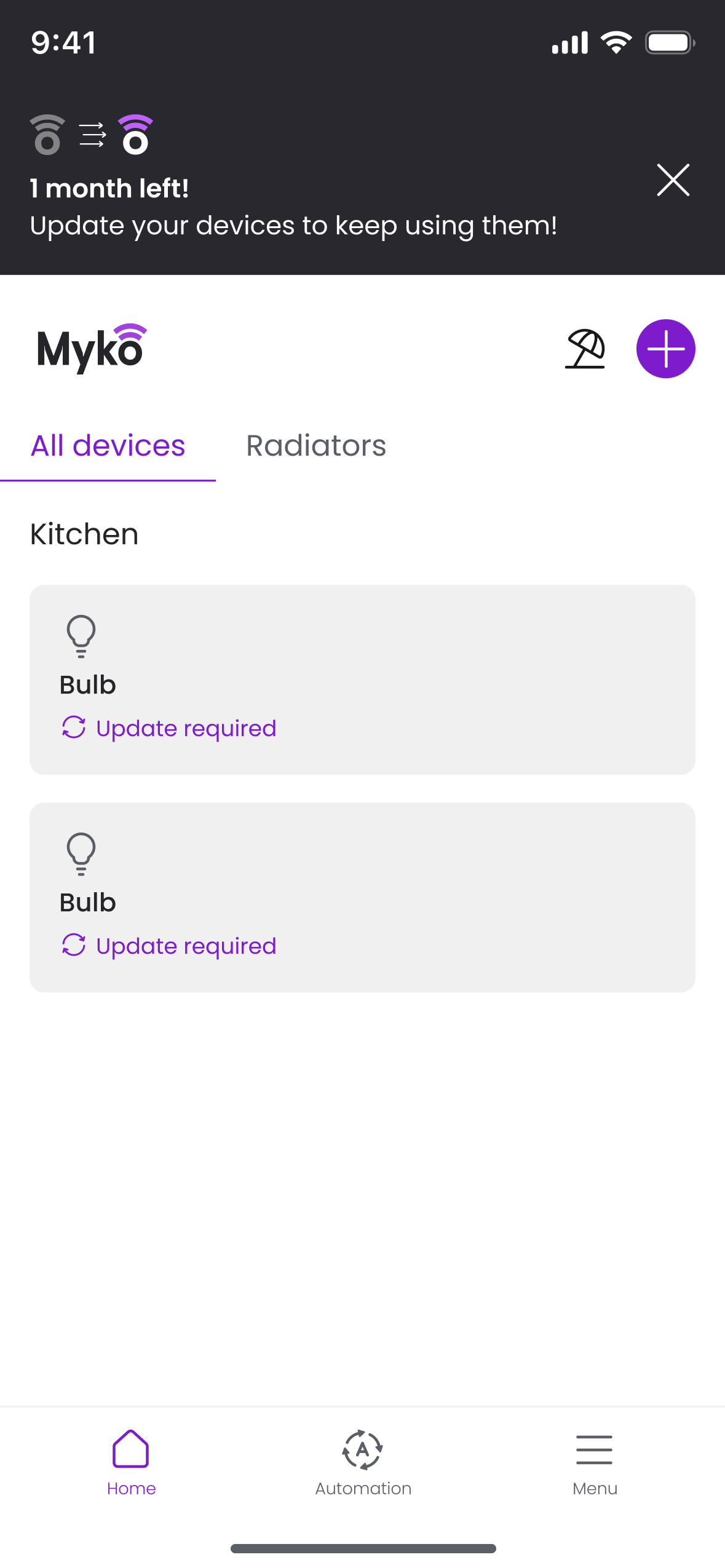
Devices still needed updating
The home page marked devices that required an update before they could be used.
Device updates
One device at a time.
I initially proposed automatic updates. Following advice from our technical consultant, we chose to let users start each update themselves: problems could occur, and users needed to be present to respond.
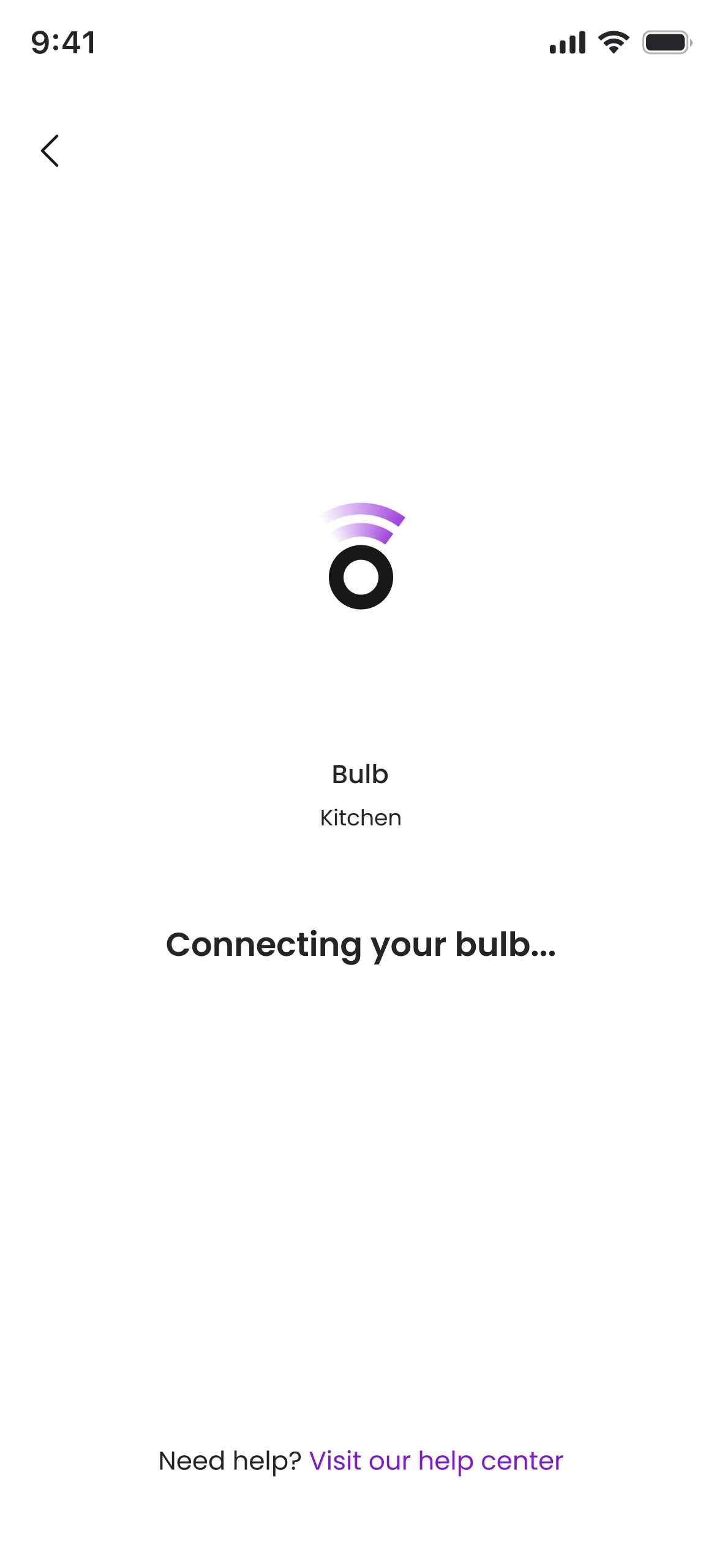
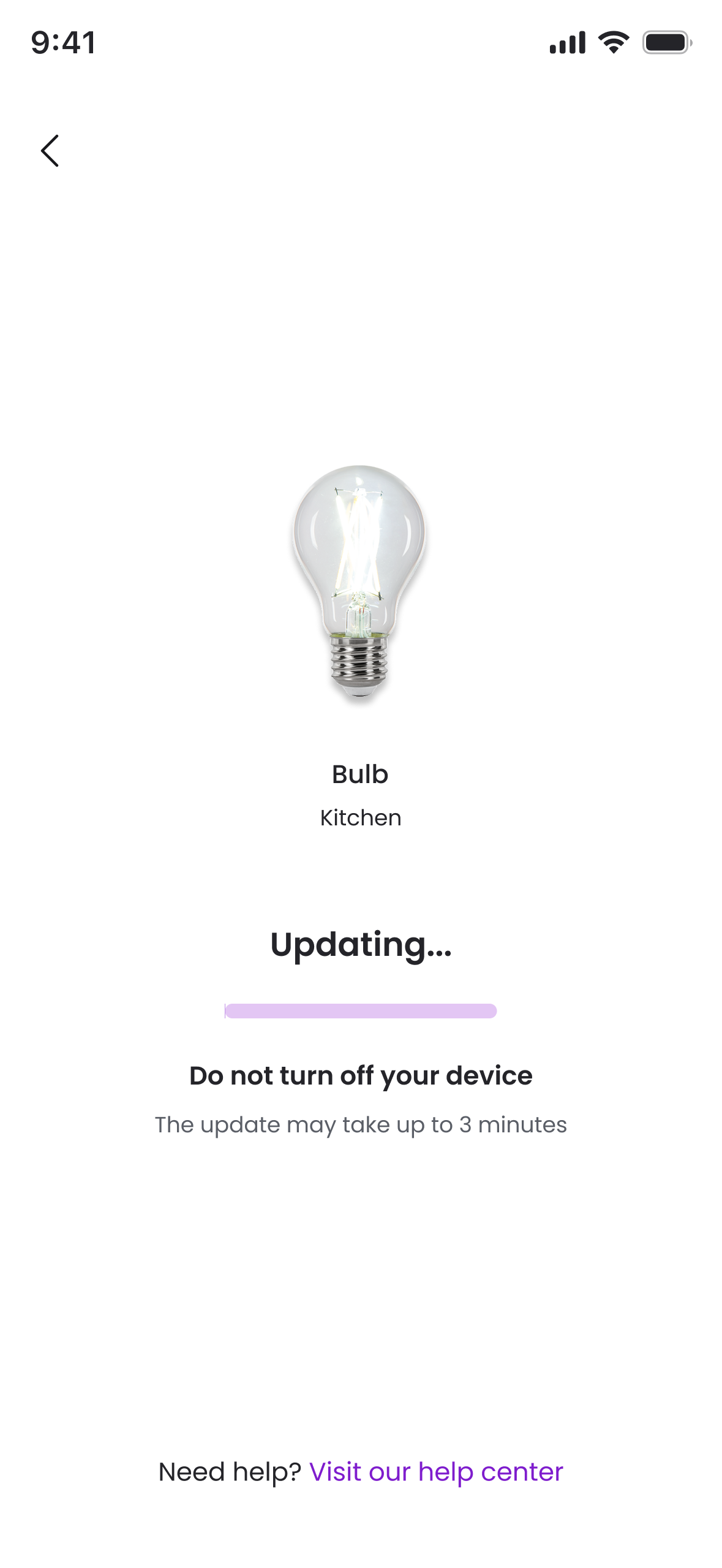
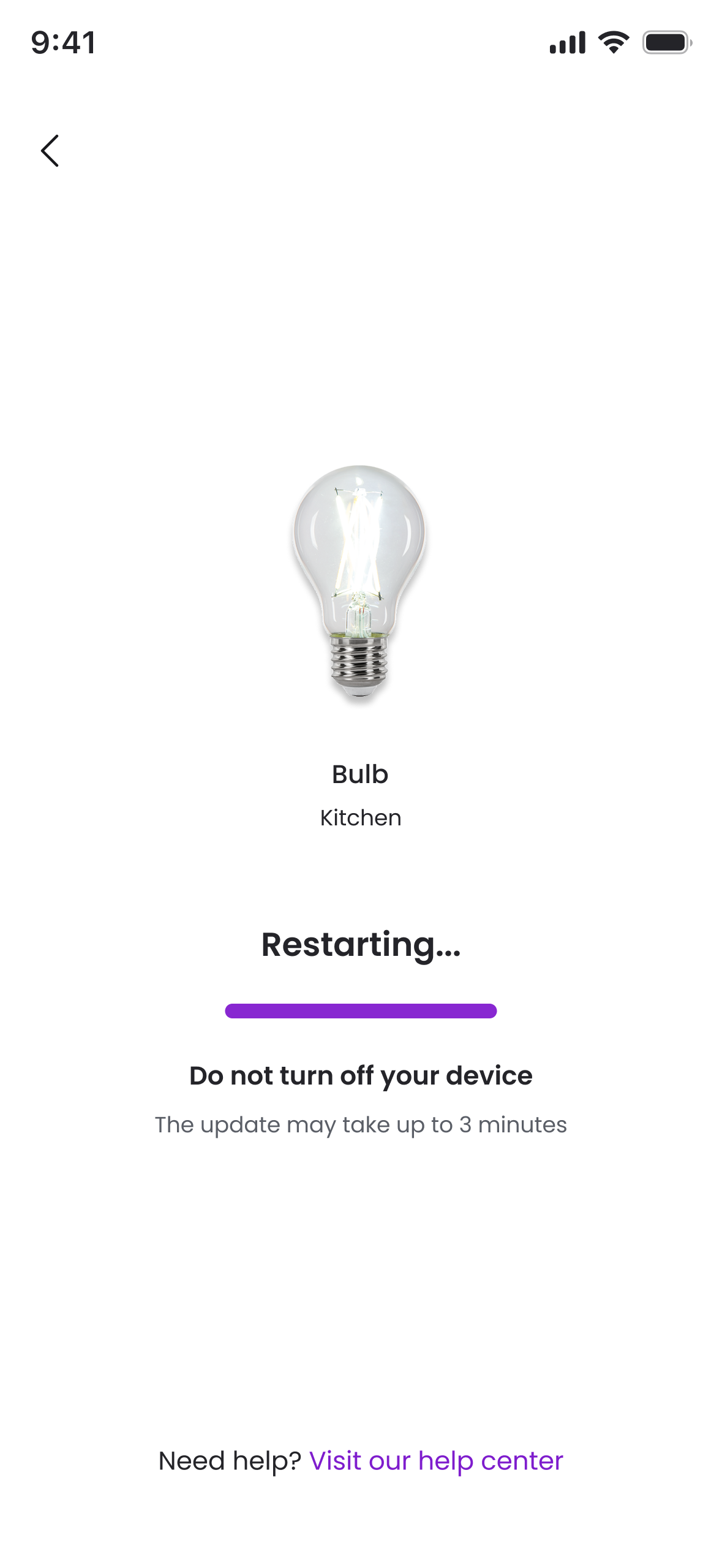
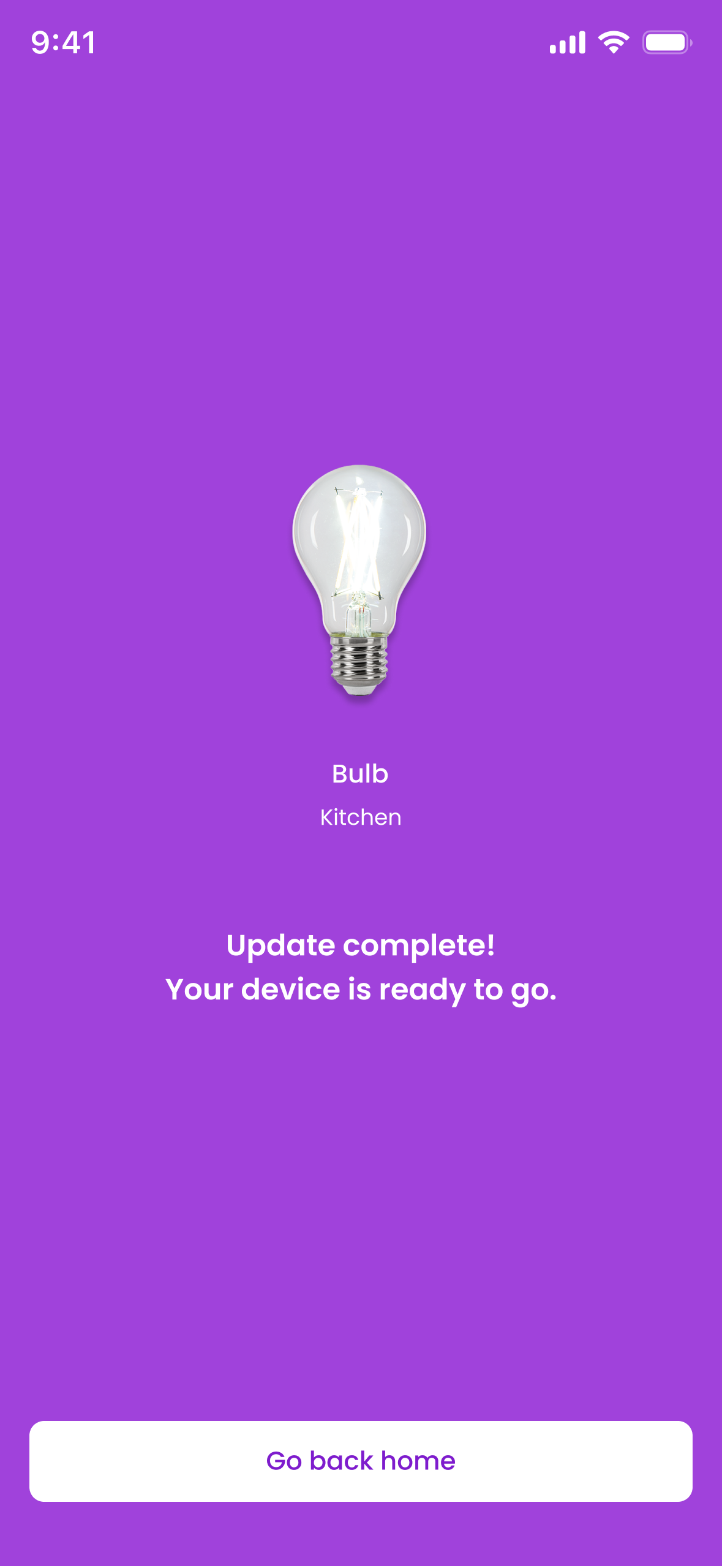
The screens explained connecting, updating and restarting, with a completion state at the end. In practice, some device updates took up to 30 minutes. The progress information was useful, but the waiting time made the overall migration demanding.
Use the controls to explore the original update screens.
03.Where the journey struggled.
Technical reliability issues, delays and changing rollout plans made the transition difficult. The interface also asked people to understand too much about accounts, readiness and update dependencies.
The migration figures show substantial delivery. They do not erase the problems customers experienced.
Readiness and connectivity
A ready device was not always a ready home.
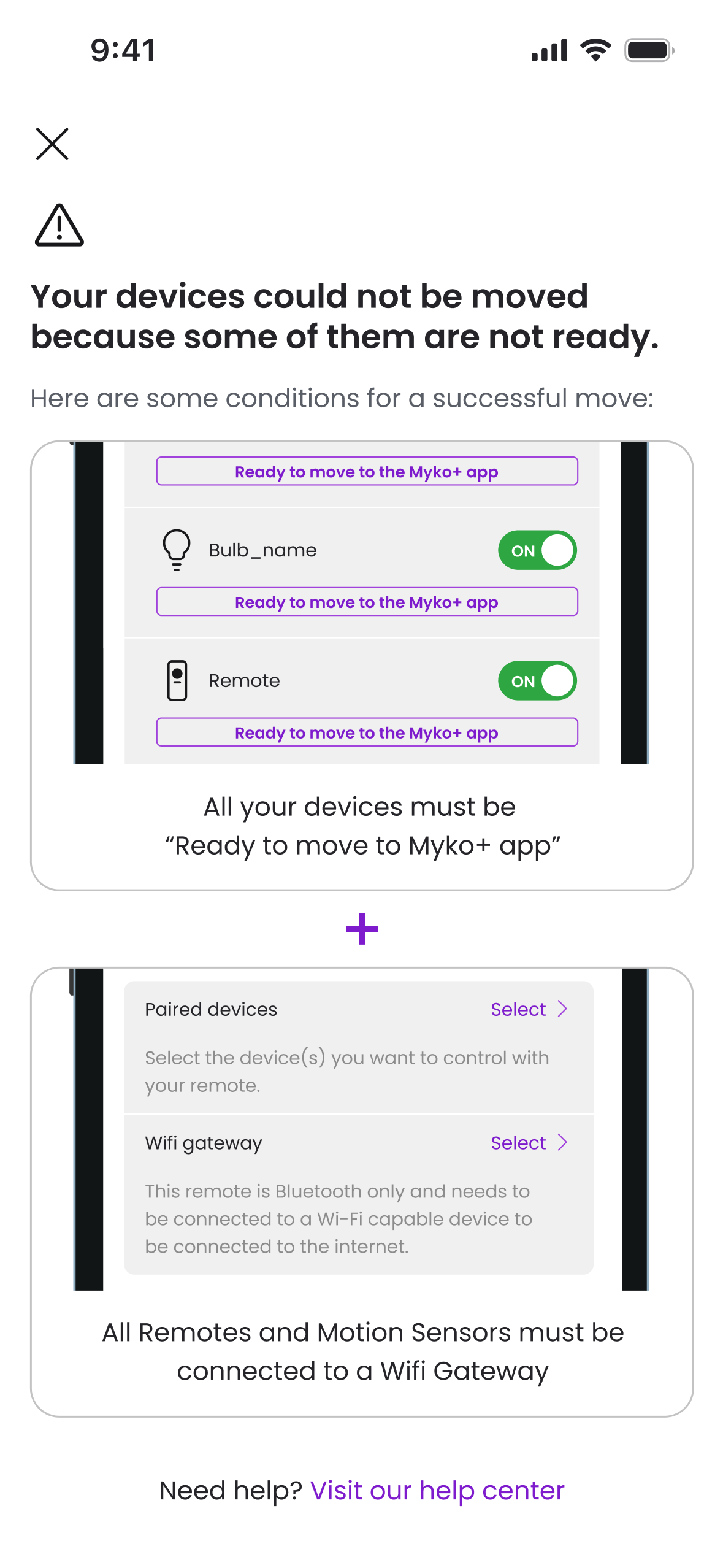
In the previous app, a device automatically appeared ready when its new firmware became available. Bulbs could therefore be ready while their paired remotes were not.
We mitigated this in the new app with a blocking screen explaining that all devices needed to be ready, and that Bluetooth remotes and motion sensors needed a compatible Wi-Fi device to connect through.
Ideally, those dependencies would have informed the original invitation. Customers should not have been invited to start a move that their setup could not yet complete.
Account transfer and device updates
“Account moved” did not mean “home ready”.
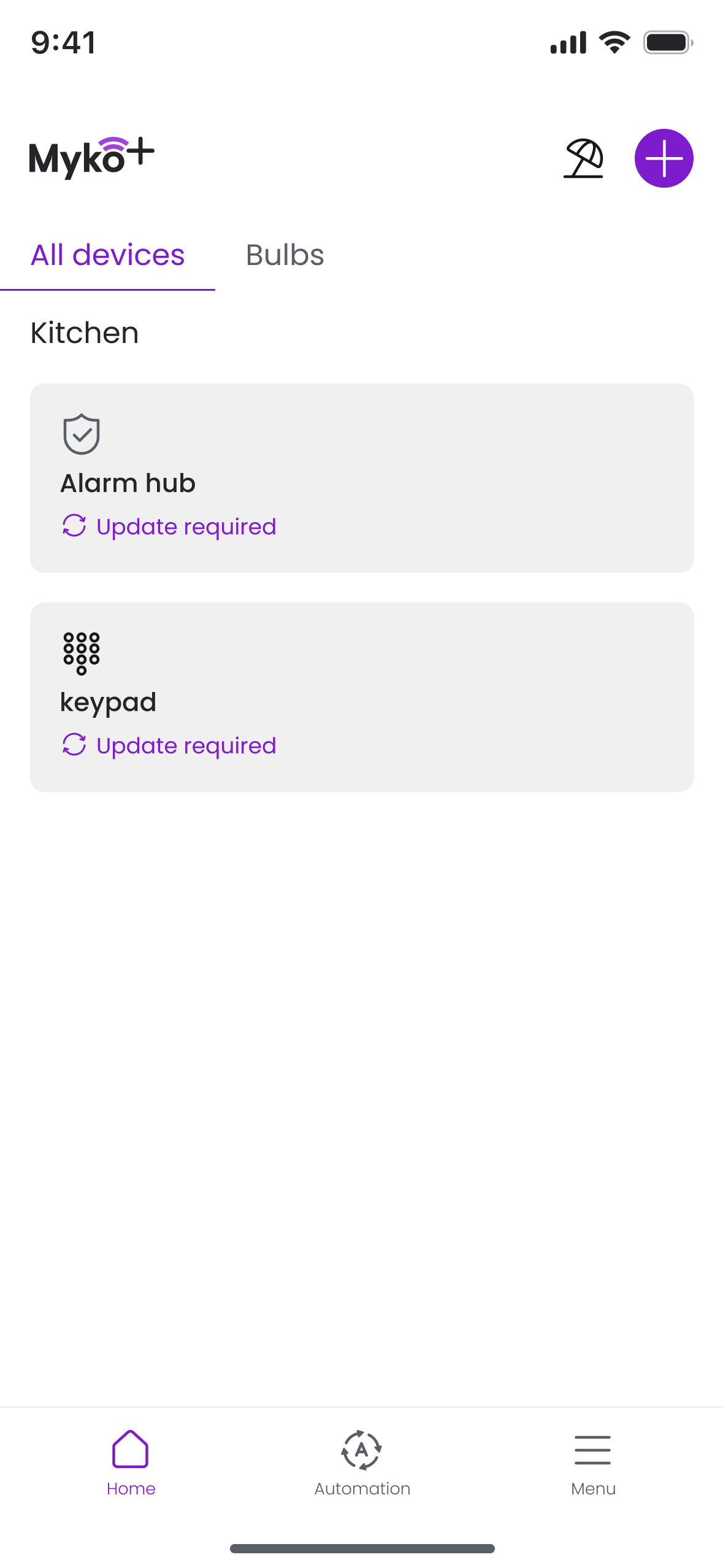
Some people transferred their accounts successfully but did not understand that their devices still needed updating.
The choice to use manual updates made this handover essential. I did not make the remaining work clear enough in the interface. The home page showed “Update required”, but that did not sufficiently explain that account transfer was only the first stage.
I would make the transition between those stages explicit, with a clear next action and a distinction between an account that had moved and a home ready to use.
Bluetooth and Wi-Fi dependencies
Learning from the remote dependency.
Early in the migration, removing a remote let users update their bulb without understanding that they would lose the use of the remote.
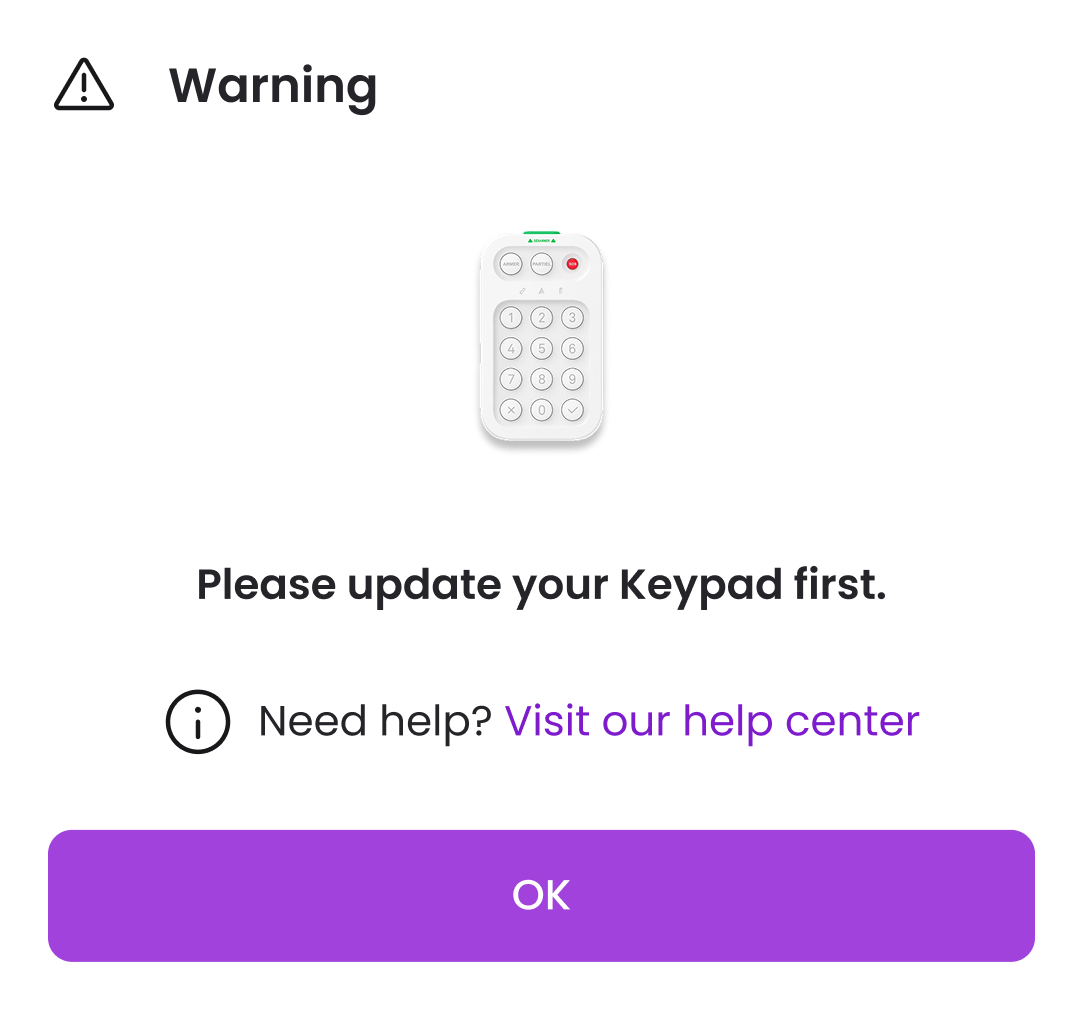
We used that lesson to improve the checks across Bluetooth devices. When a Wi-Fi device had a Bluetooth accessory connected, users had to update the accessory first.
We also made the consequence explicit when an alarm had no keypad installed: anyone planning to use one needed to add it in Old Myko before updating the alarm. It could not be added afterwards.
Recovery
Helping users continue.
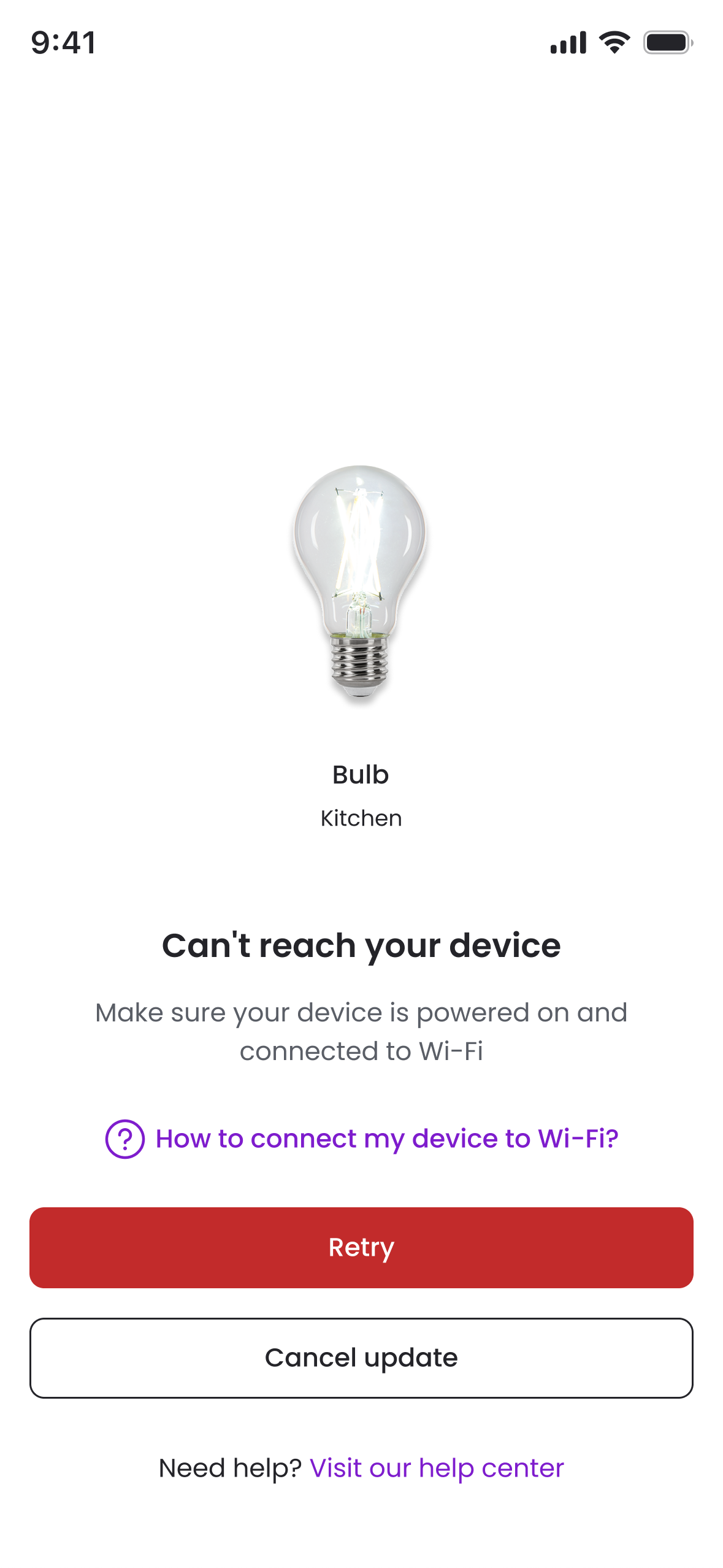
Connection failures needed recovery routes, and some paired accessories needed to be paired again after an update.
Recovering a failed connection
The error screen offered connection guidance, retry and cancellation.
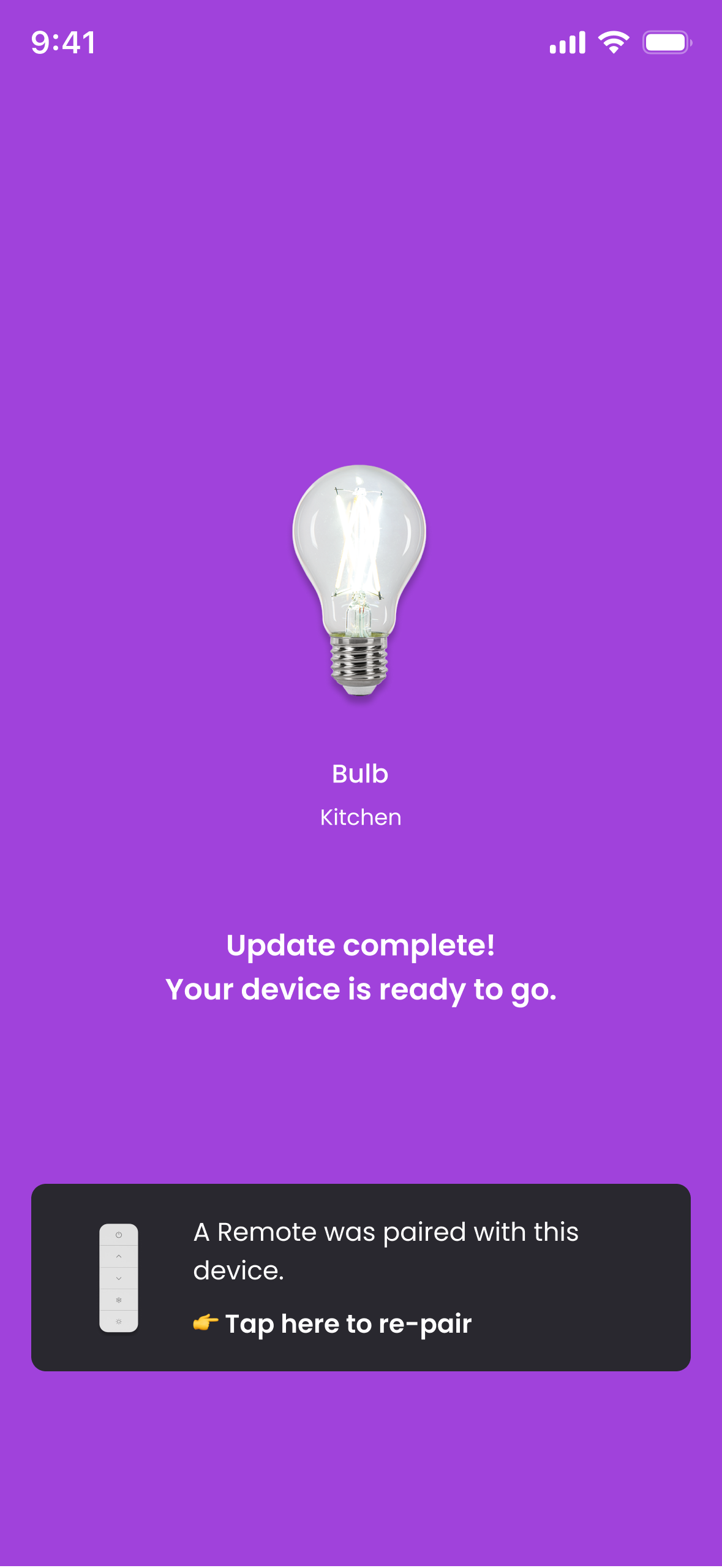
Re-pairing a remote
After a device update, a previously paired remote could need to be paired again.
What I would change
Check the whole setup. Make the next step explicit.
The later Bluetooth checks addressed update dependencies within the journey. I would bring those checks earlier, so the whole setup informed whether a customer was invited to migrate in the first place.
Within the journey, I would make device updates a clear continuation of account transfer. Preserving users’ setup mattered, but bringing it across also needed a clearer explanation of the work still required.